



A ceiling fan should spin smoothly enough that you barely notice the motor housing. If the fan shakes, clicks, or looks like it is circling the room, ceiling fan wobble is more than an annoyance. It can loosen mounting hardware over time, damage the fan, and create a safety concern if the fan is not properly secured to the ceiling.
The good news is that many wobbling fans have a simple cause. A loose blade screw, an unbalanced blade, or dust buildup can often be corrected without replacing the fan. But if the mounting bracket moves, the electrical box is not fan-rated, or the fan is hanging at an angle, stop using it and have a licensed electrician inspect the installation.
What Causes Ceiling Fan Wobble?
A fan can wobble for several reasons, and the visible movement does not always point directly to the problem. A blade that looks bent may be fine, while a slightly loose screw above the motor may be the real issue. Start with the most accessible causes before assuming the fan needs to be replaced.
Loose blade screws are one of the most common culprits. Each blade is attached to a blade arm, and each blade arm connects to the motor. Screws at either connection can gradually loosen from normal use. Even a small amount of play can make the fan shake at medium or high speed.
Uneven blade weight is another common cause. Dust, a slightly warped blade, a missing decorative piece, or a blade that is not the same weight as the others can throw off the fan’s balance. This is especially noticeable after a fan has been in service for years or after blades have been removed for cleaning.
The downrod, canopy, and mounting bracket also deserve attention. The canopy is the cover at the ceiling, while the mounting bracket is the hardware that supports the fan. If either is loose, the entire assembly may move. This is not a blade-balancing issue and should be treated more seriously.
Finally, some fans were installed on a standard light-fixture box rather than an electrical box rated to support a ceiling fan. A fan-rated box is designed for the weight and vibration of a rotating fan. A standard box may hold a light fixture but can become loose or fail under the repeated movement of a fan.
How to Check a Wobbling Ceiling Fan Safely
Before touching the fan, turn it off and wait for the blades to stop completely. For any work involving the canopy, mounting hardware, or electrical box, turn off the circuit breaker as well. The wall switch alone is not enough protection when you may be working near electrical connections.
Begin by cleaning the blades. A surprising amount of dust can collect along the top edge, particularly in rooms where the fan runs daily. Wipe each blade thoroughly and make sure all blades are equally clean. Check for cracked, split, warped, or visibly damaged blades while you are there. Replacing a damaged blade is usually better than trying to straighten it.
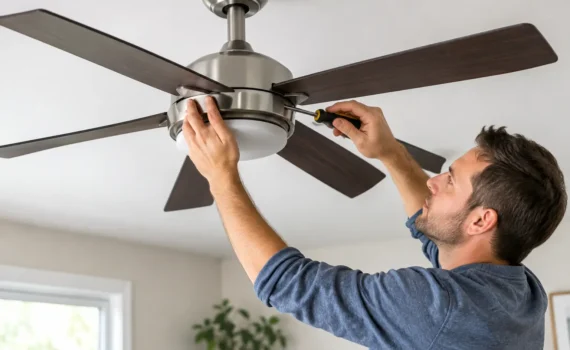
Next, tighten the visible screws. Check the screws that fasten the blades to their brackets and the brackets to the motor housing. Tighten them snugly, but do not over-tighten. Stripping a screw hole or damaging the blade material can create a new problem.
With the fan still off, gently hold the motor housing and see whether it moves independently from the ceiling. A very slight movement may be normal on some downrod-mounted fans, but the canopy and mounting area should not shift, sag, or rattle. If you can move the fan at the ceiling, do not run it until the mounting is inspected.
Check Blade Height and Alignment
You can quickly check blade alignment with a ruler or tape measure. Measure from the tip of each blade to the ceiling, using the same point on every blade. The measurements should be very close. If one blade tip sits noticeably higher or lower than the others, inspect that blade arm for bending and check its screws again.
Do not force a blade arm into shape if it is badly bent or if you are unsure of the fan’s construction. Blade arms can fatigue or crack, and a replacement part is usually the safer solution. For older fans, finding an exact replacement blade or arm may be difficult, which can make fan replacement the more practical option.
Use a Ceiling Fan Balancing Kit for Minor Wobble
If all hardware is tight and the blades appear level, a balancing kit can solve a mild ceiling fan wobble. Many fans include one in the original box, and replacement kits are widely available. They typically use a small plastic clip and adhesive weights.
Run the fan at the speed where the wobble is most noticeable. Turn it off, place the balancing clip on the middle of one blade, then run the fan again. Move the clip from blade to blade until you find the position that reduces the movement the most. Once you identify the best blade and location, replace the clip with the adhesive weight.
This process takes patience. A balancing weight is intended for a minor imbalance, not a loose mounting bracket or damaged fan. If the fan still shakes heavily after balancing, do not keep adding weights. The underlying cause likely needs further inspection.
When a Wobbly Fan Needs an Electrician
Call a qualified electrician if the fan moves at the ceiling, makes grinding noises, has a loose canopy, or trips a breaker. Those symptoms can point to an installation or electrical issue rather than a simple blade imbalance.
You should also schedule service if the fan was recently installed and has wobbled from the beginning. The mounting bracket may be incorrect for the fan model, the outlet box may not be fan-rated, or the downrod and ball assembly may not be seated properly. These are details that should be corrected before the fan is used regularly.
A fan that has suddenly started wobbling after years of smooth operation may have worn hardware, a failing motor, or damage caused by a loose blade assembly. An electrician can secure the mounting, verify the electrical box, inspect the wiring, and help determine whether repair or replacement makes better sense.
For homeowners in Katy and West Houston, Beekman Electric can inspect ceiling fan mounting and electrical connections, then provide a clear recommendation before work begins. This is especially helpful for heavy fans, high ceilings, vaulted ceilings, and fans installed where there is no attic access above the fixture.
Avoid These Common Mistakes
Do not ignore a wobble just because the fan still works. The repeated vibration can loosen screws further and put unnecessary strain on the motor and mounting hardware. A small problem is usually easier and less expensive to address early.
Avoid running the fan at maximum speed to “see if it settles down.” Higher speeds increase the force of the wobble and can make an unsafe mounting condition worse. Test the fan briefly only after each adjustment, and stand clear while it is running.
It is also a mistake to assume every ceiling box can support a fan. A ceiling fan needs approved support hardware. If there is any doubt about the box, bracket, or ceiling framing, a licensed electrician should verify the installation.
Keep Your Fan Running Smoothly
A quick cleaning and hardware check once or twice a year can prevent many fan problems. Clean the blades, check visible screws, and watch for changes in sound or movement. If a fan starts to wobble, address it before vibration turns a small adjustment into a repair call.
When the movement is coming from the ceiling, the fan is noisy, or you are not comfortable working near wiring, leave it off and get professional help. A securely installed, properly balanced fan should keep your room comfortable without shaking, rattling, or demanding your attention.